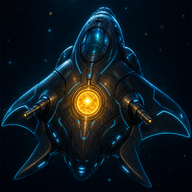
ABYSSAL, Deep Sea Descent
Support
Something broken, a purchase that did not arrive, or a question the game does not answer? Email us and include the platform (iPhone, Android or browser), your pilot username if you have one, and what you were doing when it happened.
www.tonyebrown.com@gmail.comQuick answers
How do I play?
Drag anywhere on the play area to steer; your submersible fires on its own at what it faces. Hold LIGHT (or E) to widen your glow: you see and hit more, but everything in the dark sees you too. Spend Glow to fight or hoard it to hide; that trade is the whole game. The in-game Pilot Manual (Home, then Command Index, then Pilot Manual) covers upgrades, ships, crew and the field guide, and Settings lets you replay the certification dive.
Do I need an account?
No. The full campaign, endless mode, story, hangar and codex work as a guest and your progress stays on the device. A pilot account is only needed for cloud save, Sonar Net leaderboard scores, Fleet Hunt co-op and store purchases in the apps.
I bought Specimen Data and nothing showed up
Open the Requisition Dock and tap Restore purchases while signed in to the same pilot account you bought with. Purchases are verified with the store before they are credited, which can take a moment on a slow connection. If it still does not appear, email us with the store receipt and your username; refunds themselves are handled by Apple or Google.
Where is my purchased data?
Purchased Specimen Data lives in a separate wallet from the Data you earn by diving. Spend it from the Requisition Dock with Use purchased data on ships, crew, worlds, sectors and research ranks. Those unlocks are stored on our server and restored with your account.
Fleet Hunt: someone is being abusive
Tap a pilot's name in the roster to mute their callouts or to file a report. Reports go to us with the hunt record attached. Chat is limited to preset callouts and usernames are filtered, but reports still help.
The game is slow on my phone
Settings offers a Battery render mode that lowers resolution and disables the global shadow pass. Closing other apps and keeping the phone out of Low Power Mode also helps, since the game renders a 3D scene at all times.
How do I delete my account?
In the game: Account, then Delete account, confirm your password. Outside the game: deep-sea-shooter-2026.pages.dev/delete-account. Both remove everything we hold for that account; the details are in the privacy policy.
Platforms
- Browser: deep-sea-shooter-2026.pages.dev, current Chrome, Safari, Edge or Firefox with WebGL.
- iPhone and iPad: the ABYSSAL app on the App Store.
- Android: the ABYSSAL app on Google Play.
All three run the same game and share the same pilot accounts.